An Architecture for Vendor-Neutral AI Context Configuration
Published Updated 7 min read
Context EngineeringAGENTS.mdCLAUDE.mdEnterprise Architecture
This article is part 1 of 5 in the AI Engineering Reading Path.
AI coding assistants such as GitHub Copilot, Claude Code, and Junie allow teams to provide reusable context. To provide this context consistently, AI coding tools and the broader AI ecosystem have introduced persistent context configuration files such as copilot-instructions.md, CLAUDE.md, and AGENTS.md.
However, these configuration file formats are not equally supported across heterogeneous AI coding environments. As a result, organizations may maintain multiple vendor-specific context configuration files, increasing the risk of duplicated knowledge, configuration drift, and vendor lock-in. Project knowledge, engineering conventions, and operational procedures should therefore not need to be rewritten when organizations adopt new AI coding tools.
This article presents an architecture for vendor-neutral AI context configuration derived from current industry practices.
A context configuration file intended to serve as a Single Source of Truth should remain usable across multiple AI coding environments without requiring shared operational knowledge to be duplicated.
Table 1 summarizes support for CLAUDE.md and AGENTS.md, two context configuration files with broad recognition, as documented by the vendors on 6 October 2026.
| AI coding tool | CLAUDE.md |
AGENTS.md |
|---|---|---|
| Claude Code Claude Code AGENTS.md: from version 2.1.277, and by default only when no CLAUDE.md, .claude/CLAUDE.md or CLAUDE.local.md exists in the working directory or above. See Why the Adapter Pattern Matters for Claude Code.
|
Yes | Conditional |
| GitHub Copilot GitHub Copilot CLAUDE.md and AGENTS.md: GitHub’s support matrix lists both files for the cloud agent and Copilot CLI, AGENTS.md alone for Copilot Chat in Visual Studio Code, and neither for Copilot Chat on GitHub.com or in Visual Studio, JetBrains IDEs, Eclipse and Xcode. Two vendor documents depart from that matrix: Microsoft documents the Visual Studio Code Local agent as reading CLAUDE.md by default, with nested AGENTS.md files experimental and off by default, and a GitHub changelog announced both files for agent workflows in JetBrains IDEs.
|
Conditional | Conditional |
| OpenCode OpenCode CLAUDE.md: read by OpenCode V1 only when no AGENTS.md exists, and not read by OpenCode V2.
|
Conditional | Yes |
| Cursor Cursor
|
Yes | Yes |
| Junie Junie
|
No | Yes |
| Codex Codex CLAUDE.md: read only when listed in the project_doc_fallback_filenames setting.
|
No | Yes |
| Antigravity Antigravity
|
No | Yes |
| Gemini CLI Gemini CLI CLAUDE.md and AGENTS.md: read only when the context.fileName setting names them; by default, Gemini CLI reads GEMINI.md. Since 18 June 2026, Google has offered Gemini CLI only to Gemini Code Assist Standard and Enterprise customers and paid API-key users, and has moved other users to Antigravity.
|
No | No |
Note. Surfaces are a tool’s agent and chat sessions. Yes: read by default on every documented surface, whether or not the other file exists. Conditional: read by default only on some surfaces or product lines, or only when the other file is absent. No: not read by default. The details button beside each tool lists its conditions, any setting that enables a file, the release current at retrieval and the sources.
CLAUDE.md and AGENTS.md by default, according to vendor documentation retrieved on 6 October 2026.Table 1 shows a difference in portability between the two formats. CLAUDE.md originated as a context configuration mechanism for Claude Code. While some tools have introduced varying degrees of compatibility, some major AI coding environments do not natively support it.
By contrast, AGENTS.md was created as an open format intended to work across AI coding environments. The project website describes it as:
A simple, open format for guiding coding agents […].
The project’s stated goal is to provide a format that can be adopted across tools rather than introducing another proprietary instruction file. Furthermore, stewardship of AGENTS.md was transferred to the Agentic AI Foundation under the Linux Foundation, which positions itself as a neutral home for open AI infrastructure and interoperability standards.
Recent empirical evidence also suggests that AGENTS.md is emerging as an interoperable format across AI coding environments. In a study of 2,853 GitHub repositories, Galster et al. (2026, p. 11) found that Context Files ‘dominate the configuration landscape’ and observed AGENTS.md adoption across multiple agentic coding tools.
As a result, AGENTS.md provides a stronger foundation than CLAUDE.md and other vendor-specific context formats for establishing a portable Single Source of Truth across heterogeneous AI coding environments.
Portability is the primary criterion for selecting a canonical context configuration file. While hierarchical context configuration is not strictly required, it can simplify context management in monorepositories by allowing repository-wide guidance and subproject-specific instructions to be organized separately. This is particularly relevant where a single repository can contain multiple independently developed applications, libraries, or services with different technical conventions.
AGENTS.md and CLAUDE.md both support hierarchical configuration, but they use different resolution models, summarized in Table 2.
| Characteristic | AGENTS.md |
CLAUDE.md |
|---|---|---|
| Hierarchy | Root and nested configuration | Root and nested configuration |
| Resolution | Tool-dependent hierarchical resolution | Applicable files are layered |
| Subproject isolation | Local file can define subproject-specific guidance | Local file adds more specific guidance to the existing context |
AGENTS.md and CLAUDE.md.With AGENTS.md, a subproject can define more specific instructions by placing an AGENTS.md in its directory, as shown in Figure 1. This allows individual subprojects to define more specific instructions tailored to their local requirements.
- my-monorepo/
- AGENTS.mdRepository-wide
- billing-service/
- AGENTS.mdMore specific
- …
- web-app/
- AGENTS.mdMore specific
- …
AGENTS.md for repository-wide guidance and a nested AGENTS.md in each subproject for more specific instructions.Claude Code uses an additive model for applicable CLAUDE.md files. More specific files contribute additional instructions to the existing context.
Because both formats support hierarchical file structures, monorepositories can leverage nested files under either format.
Using AGENTS.md as the Single Source of Truth does not eliminate the need for vendor-specific context configuration files. Instead, it establishes a clear separation between the source of shared operational knowledge and tool-specific configuration.
AGENTS.md should contain instructions that remain applicable across heterogeneous AI coding environments. Vendor-specific files such as CLAUDE.md should contain only instructions that depend on capabilities, workflows, or configuration mechanisms specific to a particular AI coding environment. Both files sit side by side, as shown in Figure 2.
- my-project/
- AGENTS.mdShared context
- CLAUDE.mdTool-specific
- …
AGENTS.md for shared context beside the vendor-specific CLAUDE.md.The vendor-specific file acts as an adapter that references the canonical AGENTS.md configuration while providing tool-specific extensions. Where supported by the tool, a CLAUDE.md file can import AGENTS.md and add Claude Code-specific workflow instructions, as shown in Listing 1.
@AGENTS.md

# Claude-Specific Extensions

...This separation aligns with guidance from multiple AI coding ecosystems. Anthropic documents the shared-configuration pattern shown in Listing 1, in which teams import AGENTS.md into CLAUDE.md and place Claude-specific instructions below the import. This pattern allows teams to:
keep [
AGENTS.md] as the one file every tool shares […].
Microsoft’s guidance for VS Code points in the same direction:
If your team uses multiple harnesses, use a shared format that they all support when possible.
Together, these recommendations support maintaining shared operational knowledge in a common configuration file while isolating tool-specific extensions.
When a vendor-specific configuration mechanism does not provide a native import directive, the vendor-specific configuration file may instead contain a best-effort reference, as shown in Listing 2. Unlike Listing 1, this approach does not guarantee that the referenced file will be loaded. It should therefore be viewed as a fallback mechanism rather than a substitute for native import or file-discovery capabilities.
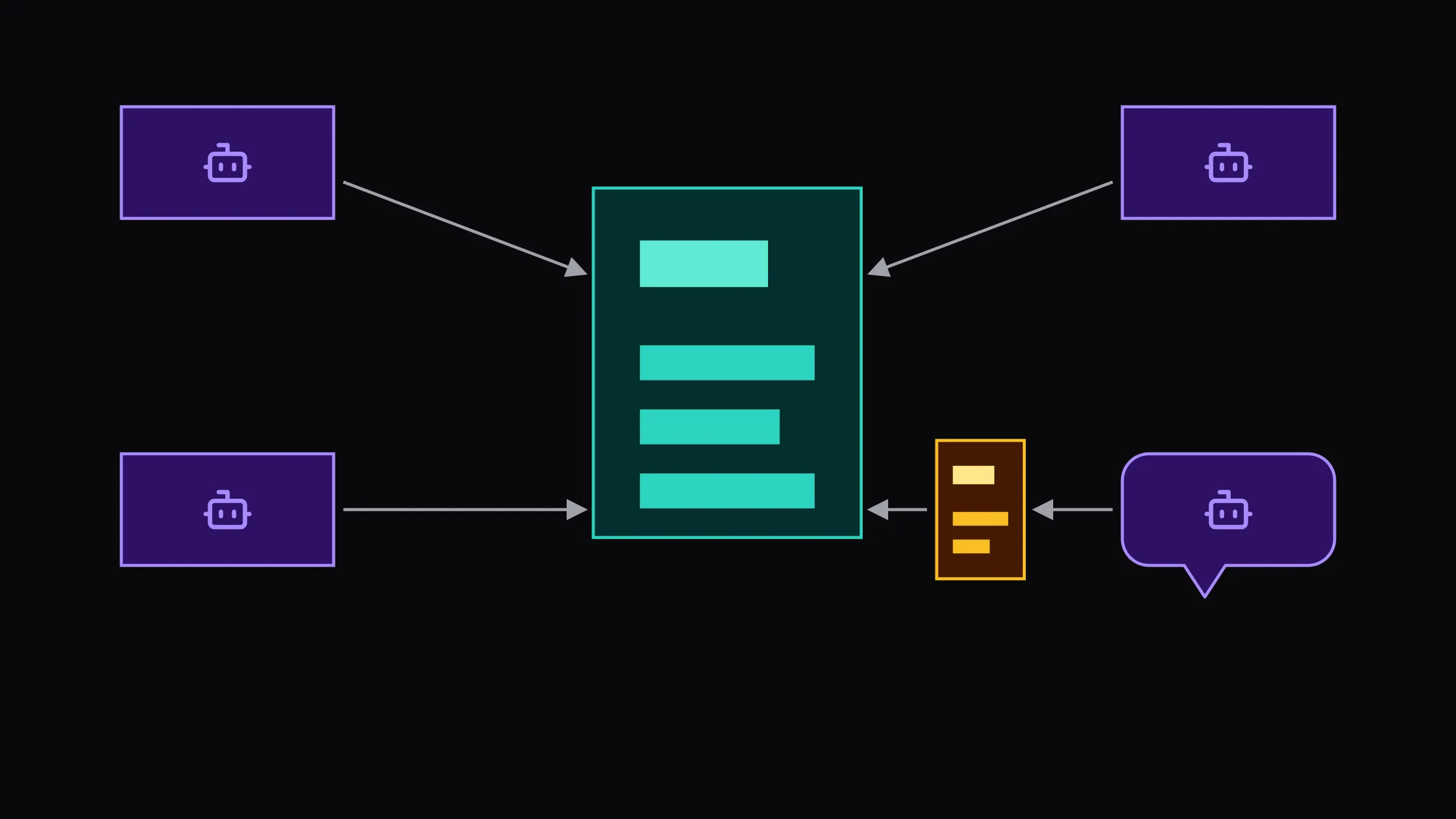
Adhere to the rules defined in AGENTS.md.This adapter pattern, shown in Figure 3, keeps AGENTS.md as the canonical source for shared operational knowledge while allowing individual AI coding tools to extend the configuration with tool-specific capabilities.
AGENTS.md holds the shared context once; where a tool reads a
vendor-specific file, that file imports or references AGENTS.md and adds only what has
no portable equivalent. Listings 1 and 2 show the two forms.
As of version 2.1.277, Claude Code supports AGENTS.md directly(opens in a new tab). Under its default instruction-loading mode(opens in a new tab), however, Claude Code uses the AGENTS.md fallback only when no CLAUDE.md, .claude/CLAUDE.md, or CLAUDE.local.md exists in the working directory or any directory above it.
Claude Code’s native AGENTS.md support also has version- and environment-dependent conditions. The Claude Code documentation lists the situations in which Claude Code reads only CLAUDE.md files(opens in a new tab): builds before 2.1.277, sessions in which the built-in plugin that reads AGENTS.md is disabled and, in some cases, the first session after an upgrade from 2.1.276 or earlier. Before 2.1.281, sessions on Amazon Bedrock or with telemetry disabled were affected as well. In every one of these situations, a CLAUDE.md that imports AGENTS.md(opens in a new tab) still delivers the shared context, which is the fallback the documentation itself recommends.
For teams using AGENTS.md as the canonical configuration layer, these constraints make the adapter pattern particularly important.
Portability. AGENTS.md should serve as the Single Source of Truth for portable operational knowledge because it is defined as an open format and is supported across heterogeneous AI coding environments. Vendor-specific configuration files should not duplicate this knowledge.
Tool-specific extensibility. Vendor-specific files should reference and extend AGENTS.md where required, providing capabilities that have no portable equivalent. This preserves a single source for shared operational knowledge while allowing individual AI coding tools to provide tool-specific functionality.
Monorepository organization. The AGENTS.md format supports hierarchical configuration through nested files, allowing monorepositories to associate more specific guidance with subdirectories. However, the way individual AI coding tools discover, combine, order, or scope these files is implementation-specific. Some tools discover nested files automatically, while others provide additional configuration mechanisms such as path-specific rules or glob-based instruction patterns.
- Agentic AI Foundation (no date) AGENTS.md. Available at: https://agents.md/(opens in a new tab) (Accessed: 6 October 2026).
- Anthropic (no date) How Claude remembers your project, Claude Code documentation. Available at: https://code.claude.com/docs/en/memory(opens in a new tab) (Accessed: 6 October 2026).
- Cursor (no date) Rules, Cursor Help Center. Available at: https://cursor.com/help/customization/rules(opens in a new tab) (Accessed: 6 October 2026).
- Galster, M., Mohsenimofidi, S., Lulla, J.L., Abubakar, M.A., Treude, C. and Baltes, S. (2026) ‘Configuring Agentic AI Coding Tools: An Exploratory Study’, Proceedings of the 3rd ACM International Conference on AI-Powered Software (AIware 2026), pp. 11–20. Extended arXiv version: arXiv:2602.14690 (v5), retitled ‘Harness Engineering for Agentic AI Coding Tools: An Exploratory Study’. Available at: https://doi.org/10.1145/3805760.3814887(opens in a new tab) (Accessed: 7 October 2026).
- GitHub (2026) ‘Major agentic capabilities improvements in GitHub Copilot for JetBrains IDEs’, GitHub Changelog, 11 March. Available at: https://github.blog/changelog/2026-03-11-major-agentic-capabilities-improvements-in-github-copilot-for-jetbrains-ides/(opens in a new tab) (Accessed: 6 October 2026).
- GitHub (no date) Support for different types of custom instructions, GitHub Copilot documentation. Available at: https://docs.github.com/en/copilot/reference/custom-instructions-support(opens in a new tab) (Accessed: 6 October 2026).
- Google (2026) ‘An important update: Transitioning Gemini CLI to Antigravity CLI’, Google Developers Blog, 19 May. Available at: https://developers.googleblog.com/an-important-update-transitioning-gemini-cli-to-antigravity-cli/(opens in a new tab) (Accessed: 6 October 2026).
- Google (no date a) Provide context with GEMINI.md files, Gemini CLI documentation. Available at: https://geminicli.com/docs/cli/gemini-md/(opens in a new tab) (Accessed: 6 October 2026).
- Google (no date b) Rules, Google Antigravity documentation. Available at: https://antigravity.google/docs/rules(opens in a new tab) (Accessed: 6 October 2026).
- JetBrains (no date) Guidelines and memory, Junie documentation. Available at: https://junie.jetbrains.com/docs/guidelines-and-memory.html(opens in a new tab) (Accessed: 6 October 2026).
- Microsoft (no date a) AI settings reference, Visual Studio Code documentation. Available at: https://code.visualstudio.com/docs/agents/reference/ai-settings(opens in a new tab) (Accessed: 6 October 2026).
- Microsoft (no date b) Use custom instructions in VS Code, Visual Studio Code documentation. Available at: https://code.visualstudio.com/docs/agent-customization/custom-instructions(opens in a new tab) (Accessed: 6 October 2026).
- OpenAI (no date) Custom instructions with AGENTS.md, Codex documentation. Available at: https://learn.chatgpt.com/docs/agent-configuration/agents-md(opens in a new tab) (Accessed: 6 October 2026).
- OpenCode (no date a) Instructions, OpenCode V2 documentation. Available at: https://opencode.ai/v2/docs/instructions/(opens in a new tab) (Accessed: 6 October 2026).
- OpenCode (no date b) Rules, OpenCode documentation. Available at: https://opencode.ai/docs/rules/(opens in a new tab) (Accessed: 6 October 2026).
Share this article